


1. Durante una llamada de Remote Eye, ve a la sección de participantes y asegúrate de que todos los micrófonos que vayan a usar la función de traducción estén activados.
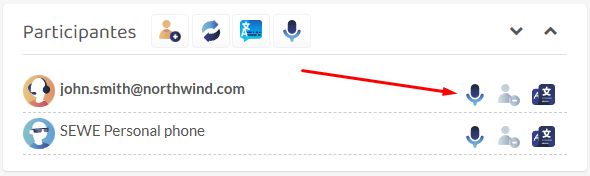
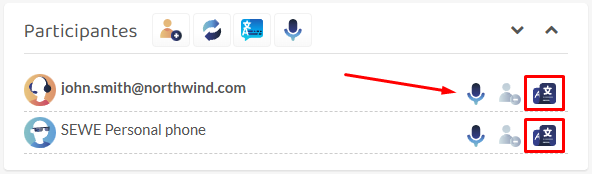
2. Haz clic en el tercer botón de la fila del participante. Esto desplegará las opciones para iniciar la traducción en vivo.
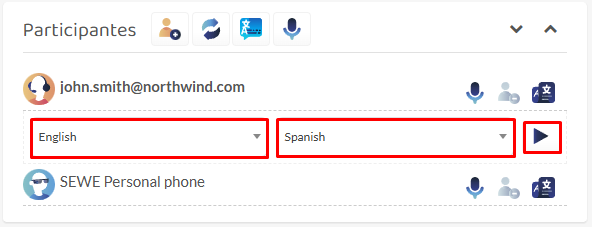
3. Ahora haz lo siguiente:
- Selecciona el idioma en el que esa persona va a hablar.
- Selecciona el idioma al que quieres que se traduzca el mensaje.
- Haz clic en el botón de reproducción para iniciar la traducción.
Nota: Notarás que los primeros audios pueden sonar raros o traducirse incorrectamente. Esto es normal, solo dale de 5 a 10 segundos para que empiece a funcionar correctamente.
4. Sigue el mismo proceso para activar la traducción para cada participante.
Comentarios
Copyright © 2026 Wideum
—
Powered by 
Comparte tu opinión sobre este tema.