


1. During a Remote eye call, go to the participants section and make sure that all microphones that are going to use the translation feature are on.
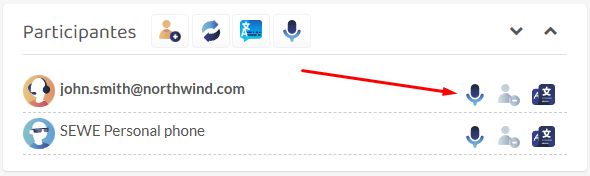
2. Click on the third button on the participant’s row, that will drop down the options to start the live translation.
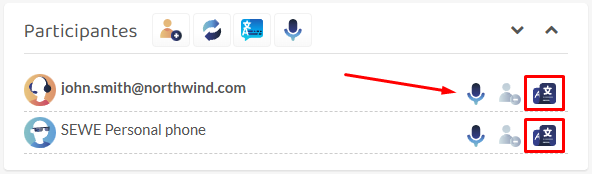
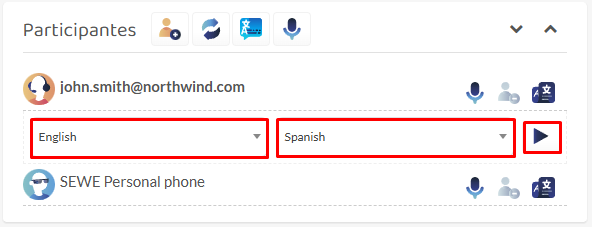
3. Now do the following:
- Select the language in which that person is going to speak.
- Select the language in which you want that message to be translated to.
- Click on the play button to start the translation.
Note: You’ll notice that the first audios are going to sound weird or be incorrectly translated. This is a normal thing, just give it 5 to 10 seconds for it to start correctly.
4. Follow the same process to activate the translation for every participant.
Feedback
Copyright © 2026 Wideum
—
Powered by 
Pubblica il tuo feedback su questo topic.