


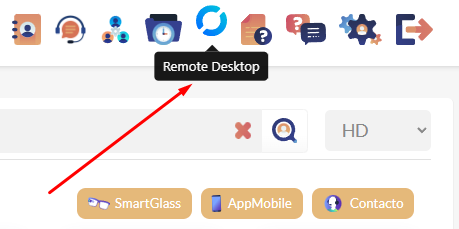
1. Go to your Remote eye main panel and look for the Remote Desktop icon on the top bar.
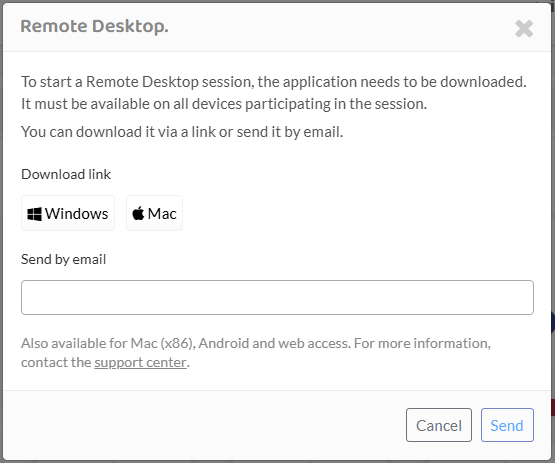
2. Download the app by clicking on your operating system’s icon.
3. Open the downloaded file

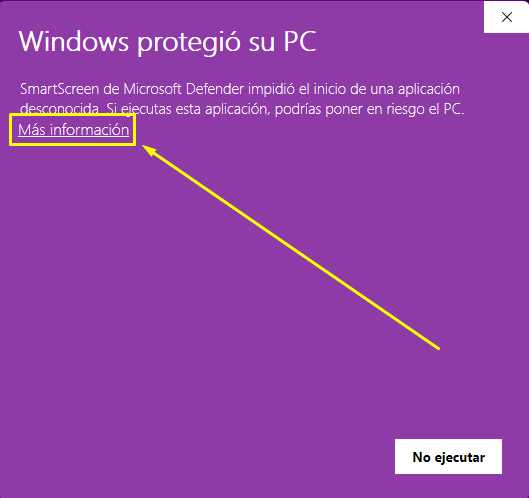
4. A warning pop-up may appear, click on “More information”. It will be shown on the system’s language.
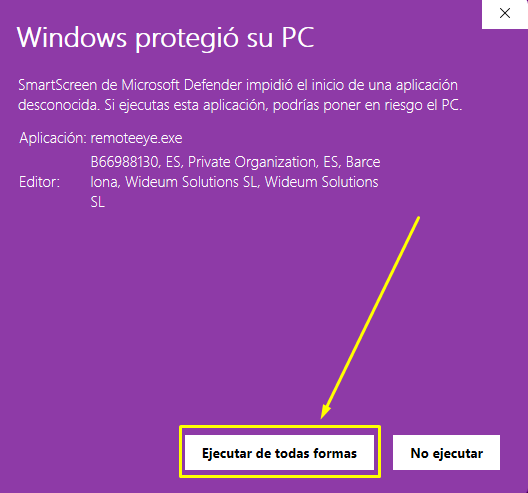
5. Click on “Execute anyways”
6. The program will now open. Put the other person’s / Computer’s id on the shown box and click on “connect”.
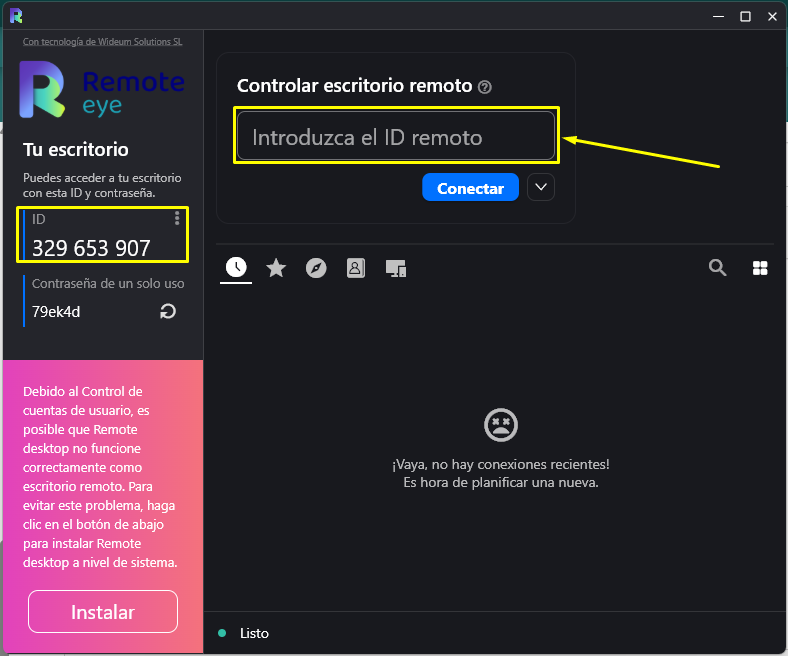
7. You are now controlling the other person’s computer.
Feedback
Copyright © 2026 Wideum
—
Powered by 
Post your comment on this topic.